



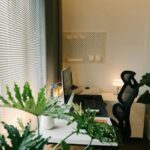
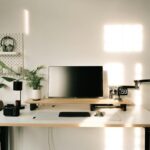

Creating a home office environment that supports both comfort and productivity is essential in today’s world, where remote work and flexible schedules are increasingly common. A well-designed workspace can boost your focus, reduce stress, and help maintain a healthy work-life balance. Whether you have a dedicated room or a small corner in your home, these tips will guide you in setting up an office that feels right for you.
Choose the Right Location
Finding the ideal spot for your home office is the first step. Consider the following:
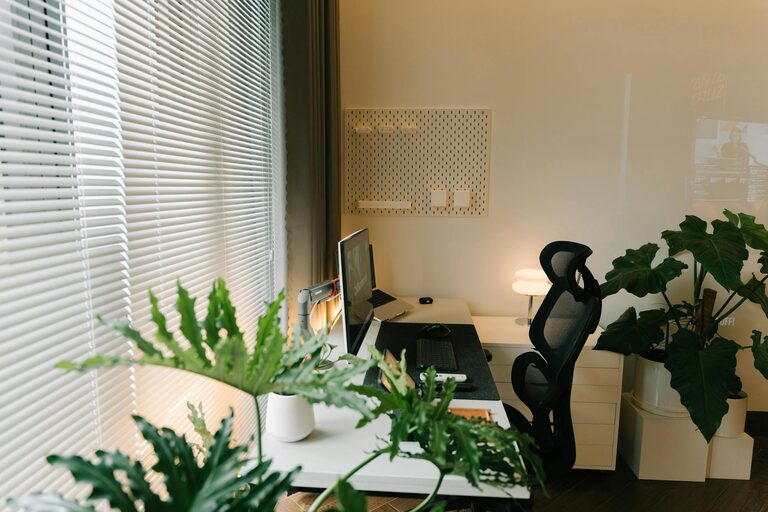
– Natural Light: Position your desk near a window if possible. Natural light improves mood and alertness, reducing eye strain compared to artificial lighting.
– Quietness: Select a quiet area away from household noise. This will help minimise distractions and increase concentration.
– Space: Ensure there is enough room for your desk, chair, and work materials, allowing you to move comfortably.
If space is limited, consider multipurpose areas with portable furniture that can be stowed away when not in use.
Invest in Ergonomic Furniture
Comfort is key to sustaining long hours of work without discomfort or injury. Here’s what to consider:
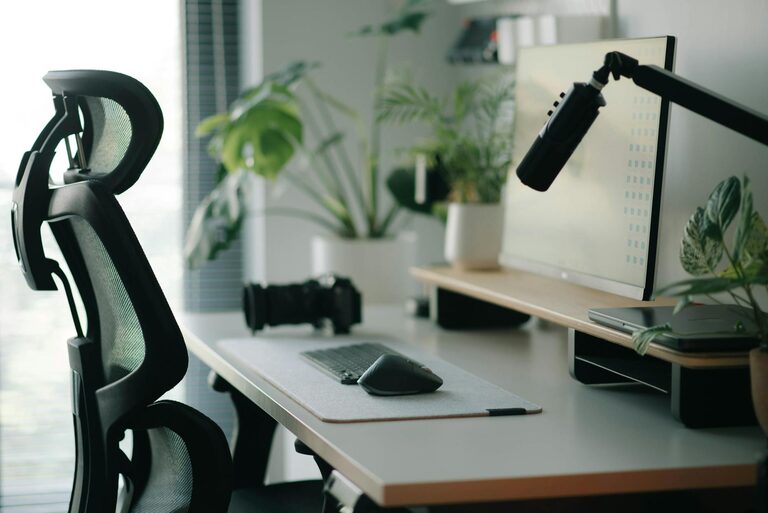
– Ergonomic Chair: Choose a chair with adjustable height, lumbar support, and comfortable padding. Good posture support prevents back pain.
– Desk Height: Your desk should be at a height where your elbows bend at roughly 90 degrees when typing, minimising wrist strain.
– Monitor Positioning: Place your computer screen at eye level about an arm’s length away. This reduces neck strain and eye fatigue.
Standing desks are also an option if you prefer alternating between sitting and standing throughout the day.
Organise Your Workspace Effectively
A tidy and organised desk helps keep your mind clear and focused. Use these tips to maintain order:
– Declutter: Remove unnecessary items from your desktop regularly.
– Storage Solutions: Use shelves, drawers, and organisers to keep documents and supplies neatly stored.
– Cable Management: Use clips or cable tubes to avoid tangled wires which can look messy and cause frustration.
Having frequently used items within easy reach saves time and effort during your workday.
Control Lighting for Comfort
Proper lighting is vital to prevent eye strain and maintain energy levels:
– Layered Lighting: Combine natural light with overhead and task lighting. Adjustable desk lamps give you control over brightness.
– Avoid Glare: Position screens and lights to reduce glare, especially on computer monitors.
– Soft, Warm Light: Use warm-toned bulbs in your workspace for a cosy and relaxing atmosphere.
If your office lacks windows, consider daylight bulbs that mimic natural light to improve your mood.
Personalise Your Space
Adding personal touches makes your home office inviting and inspiring:
– Decor: Incorporate artwork, plants, or photos to create a positive vibe.
– Comfort Items: Use cushions, a footrest, or a warm blanket to enhance comfort.
– Scent: A subtle scent from a candle or diffuser can make the room inviting without distracting.
However, keep personal items balanced with professionalism, especially if you have video calls or clients visiting.
Minimise Distractions
Distractions can hinder productivity, so take steps to minimise them:
– Noise Control: Use noise-cancelling headphones or white noise machines if household sounds are unavoidable.
– Separate Work and Leisure: Avoid placing entertainment equipment like TVs or gaming consoles in your office area.
– Set Boundaries: Inform family or housemates of your workspace and working hours to reduce interruptions.
Establishing routines and clear rules for your work zone helps maintain focus.
Encourage Movement and Breaks
Sitting all day can be detrimental to your health and productivity:
– Take Regular Breaks: Follow the ‘Pomodoro Technique’ (25 minutes focused work with 5-minute breaks) or find your own rhythm to stay fresh.
– Stretch: Simple stretches or a short walk can relieve muscle tension and improve circulation.
– Exercise: Incorporate light exercise or yoga at home to complement your day.
Consider placing your printer or waste bin a little farther from your desk to encourage movement.
Use Technology Wisely
Technology can enhance your home office if chosen carefully:
– Reliable Equipment: Invest in quality computers, printers, and internet connections to reduce technical issues.
– Organisational Tools: Use apps for task management, note-taking, and scheduling to stay organised.
– Backup Solutions: Regularly back up important files to cloud storage or external drives for security.
Avoid digital clutter by limiting the number of apps and files you keep on your desktop.
—
By combining these tips, you can create a home office space that supports your well-being and work goals. A balanced environment with comfort, organisation, and personal touches will help you thrive in your remote working life. Remember, your ideal workspace should reflect your unique needs and preferences, so feel free to adjust these suggestions to suit your style.